GBA Studio
GBA Studio is a Windows editor for building Game Boy Advance games with a visual workflow. You create scenes, actors, backgrounds, scripts, variables, audio and other resources in the editor; the project is then converted into C++ and built with Butano.
These pages document the packaged desktop application and its project workflow. Repository maintenance, source builds and test commands are isolated in Contributing.
The editor is designed to keep the game data editable and reproducible. Source resources belong in the project; generated headers, build directories and ROM files are outputs and should not be edited by hand.
What the tool covers
- scene composition with backgrounds, actors, triggers and layers;
- visual scripts with sequential events and branches;
- sprites, palettes, images, music and sound effects;
- project settings, emulator launch and build logs;
- generation of a Butano project and a
.gbaROM.
Important limits
The target is the Game Boy Advance and its resource budgets. The available events, asset formats, tile/palette limits and runtime behavior are defined by the current editor and compiler, not by generic game-engine documentation. When a feature is not exposed by the editor or compiler, this documentation treats it as unsupported rather than assuming a future API.
Recommended path
- Install the tool.
- Follow First project.
- Learn the editor tour and project structure.
- Read the engine overview before building more complex scripts.
- Use the build and release guide to produce and test a ROM.
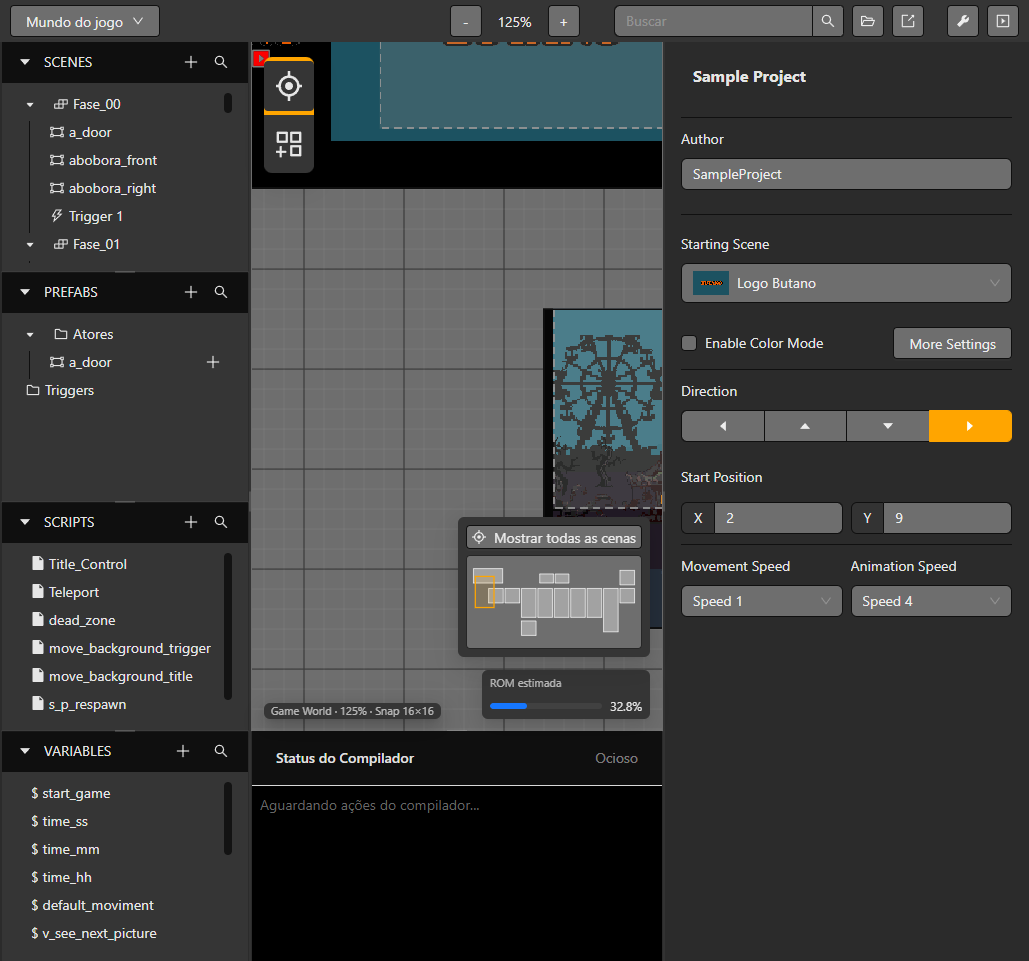
The Game World combines project navigation and the current scene workspace.